Sideline EQ
BUILT FOR THE
EQUIPMENT ROOM.
Sideline EQ is sports equipment management software for football and every other sport: inventory, check-in and check-out, player assignments, reports and helmet reconditioning. It's built for how coaches and athletic directors actually manage equipment, from the field to the front office.
Inventory Tracking
KNOW WHAT YOU HAVE. ALWAYS.
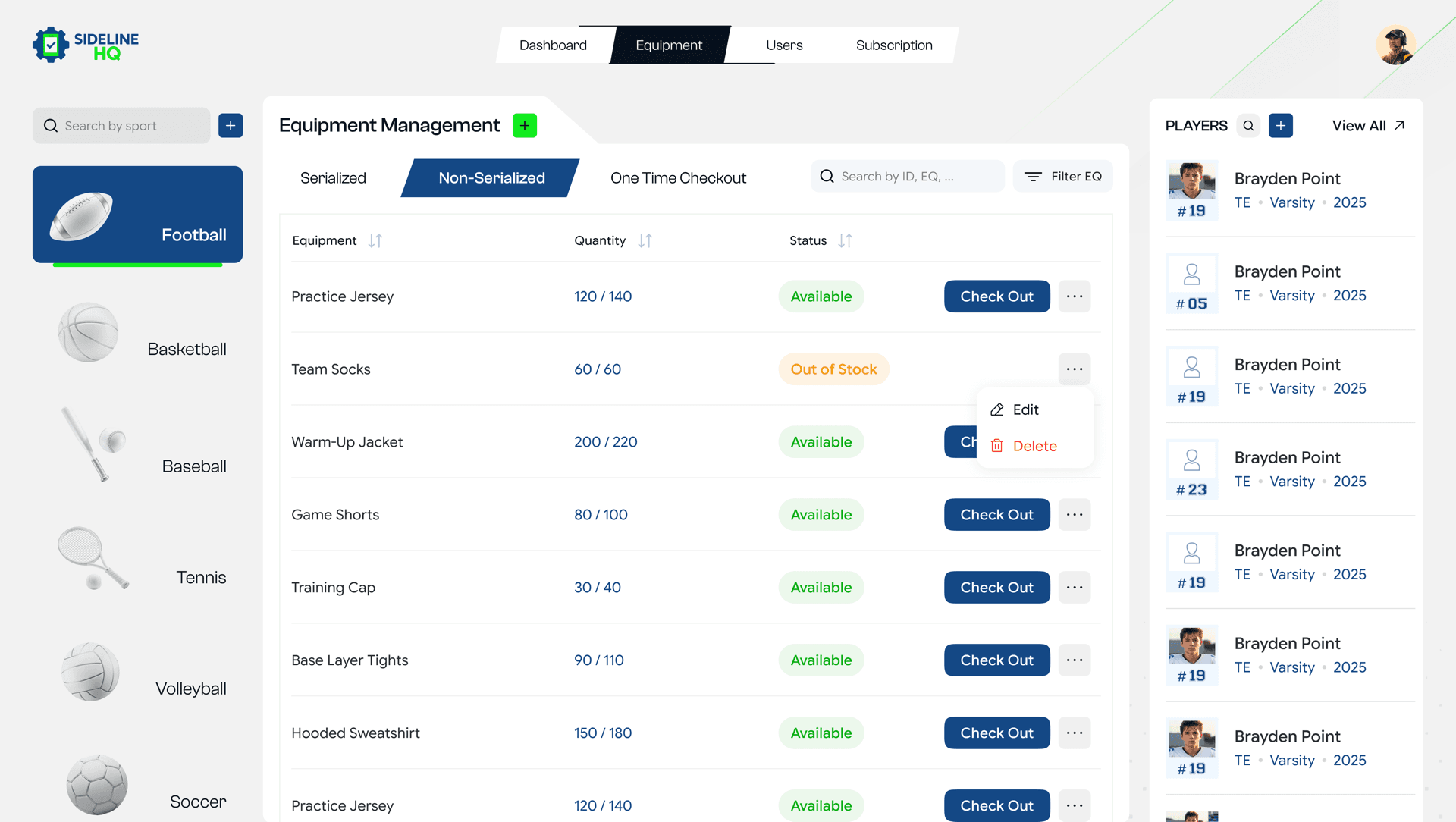
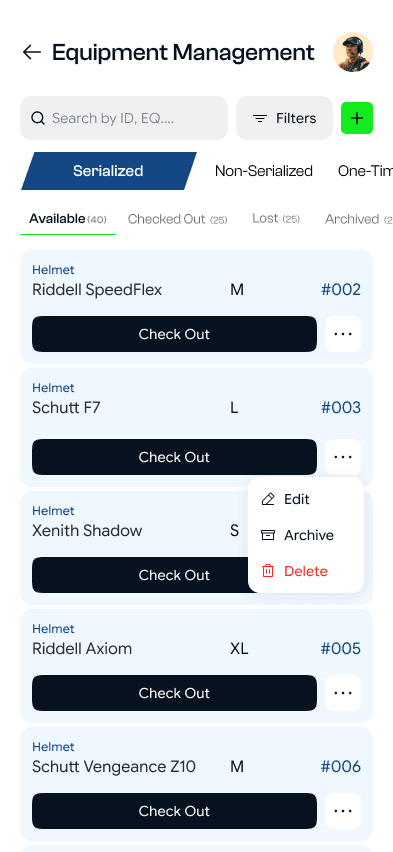
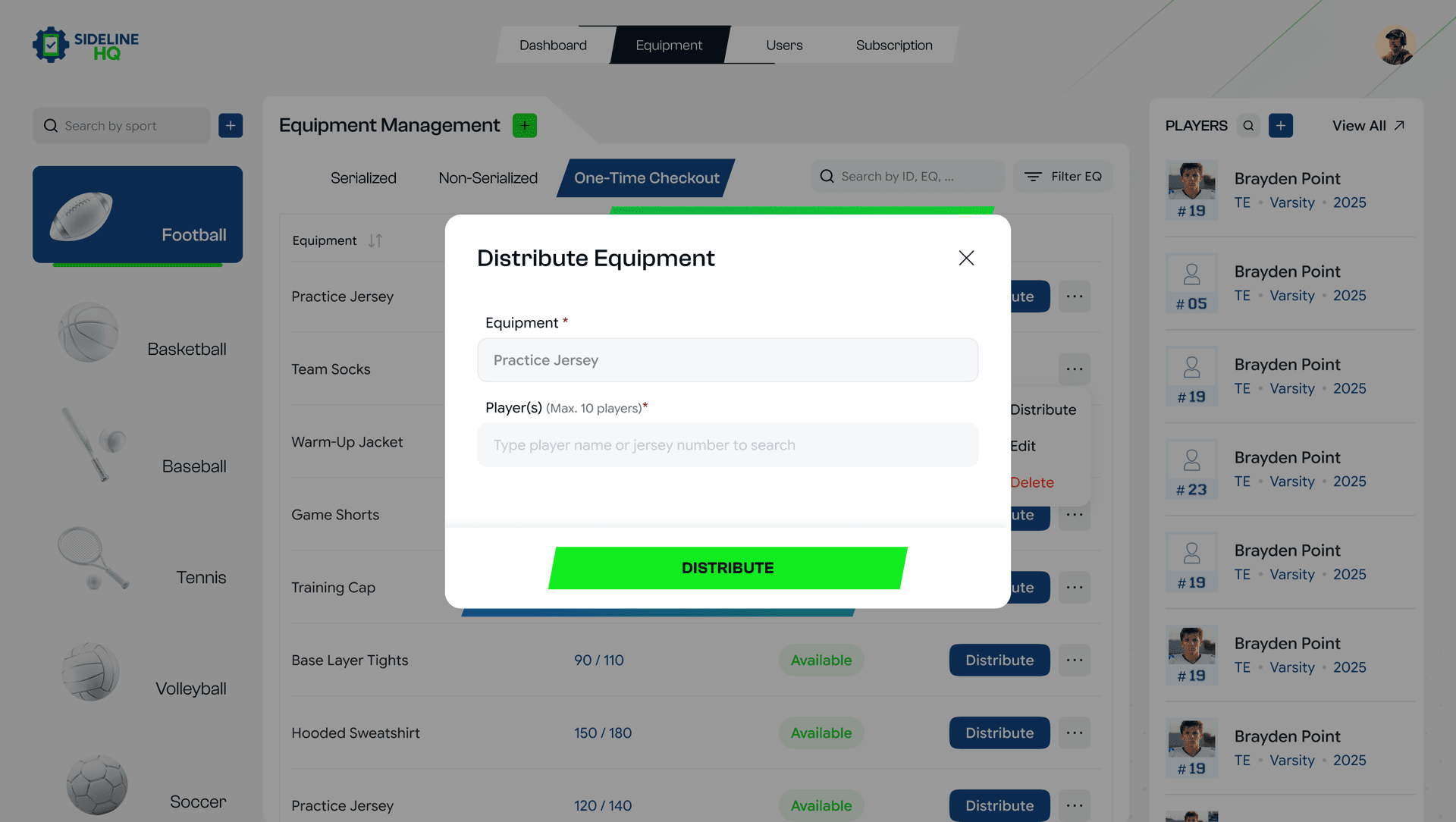
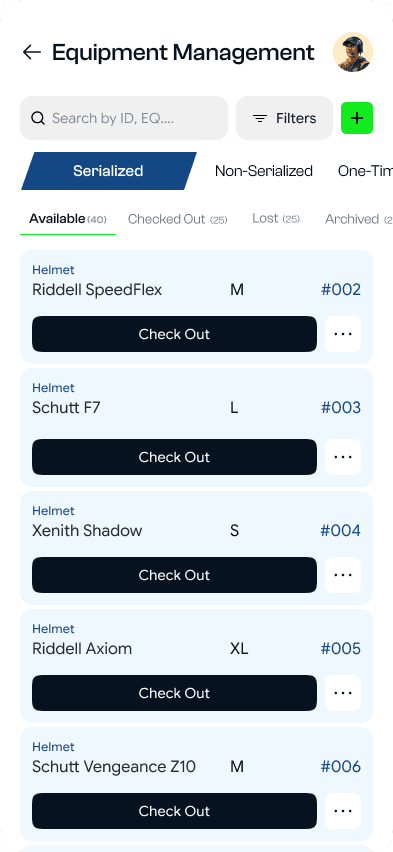
Track every piece of equipment across your entire program. Serialized items like helmets and catcher's gear, quantity items like practice jerseys and balls, and one-time checkout items — all in one centralized dashboard.
- Serialized, non-serialized, and one-time checkout item types
- Real-time quantities and availability at a glance
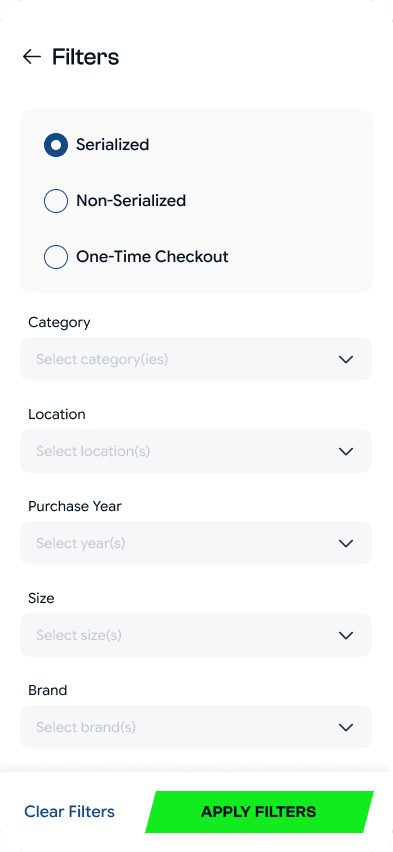
- Filter and search across all equipment instantly
- Organize by sport, season, category, or custom tags
- Built-in helmet reconditioning workflow — send out, track, and receive back
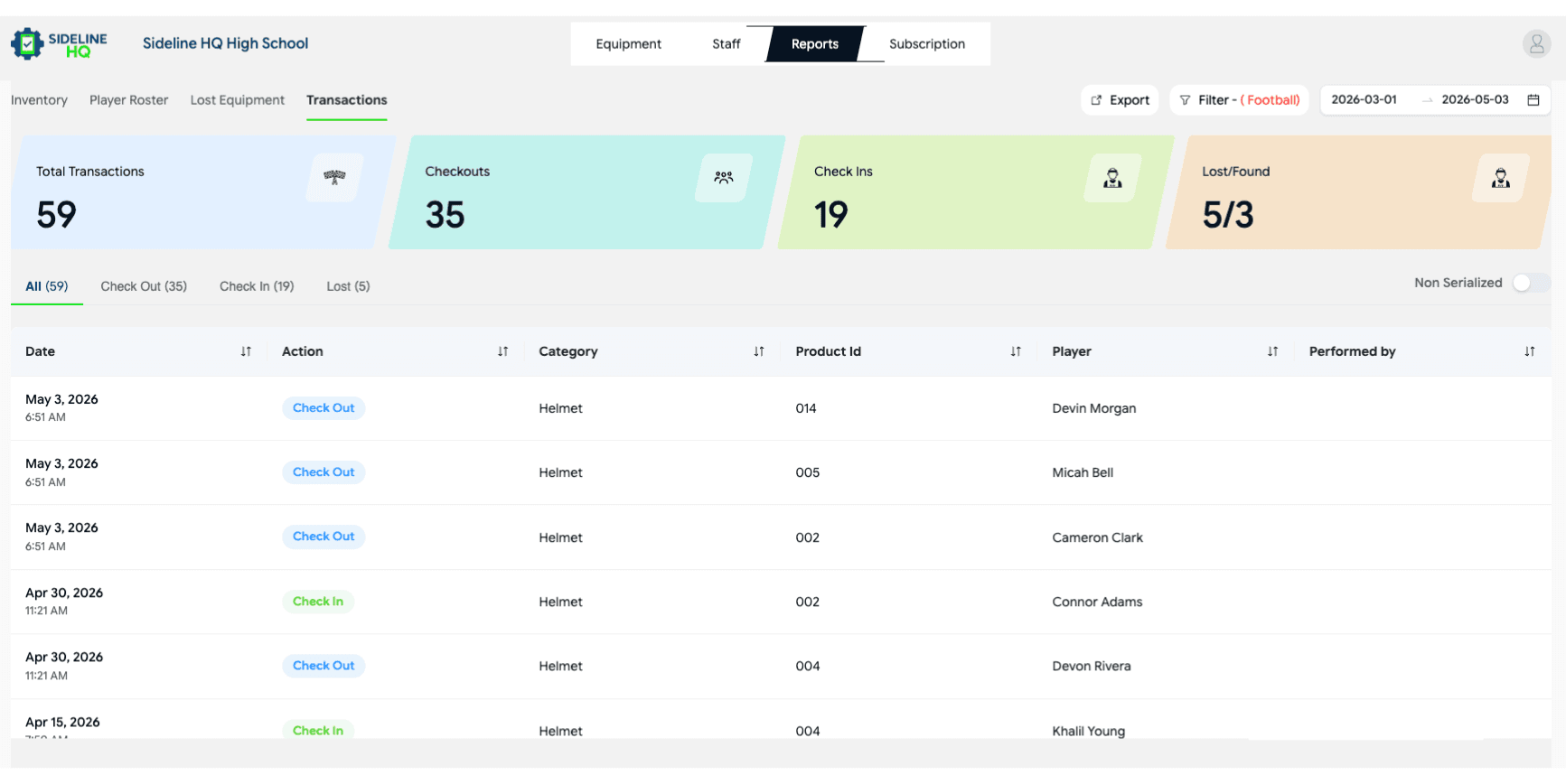

Check-In / Check-Out
ASSIGN AND RETURN GEAR WITH A TAP.
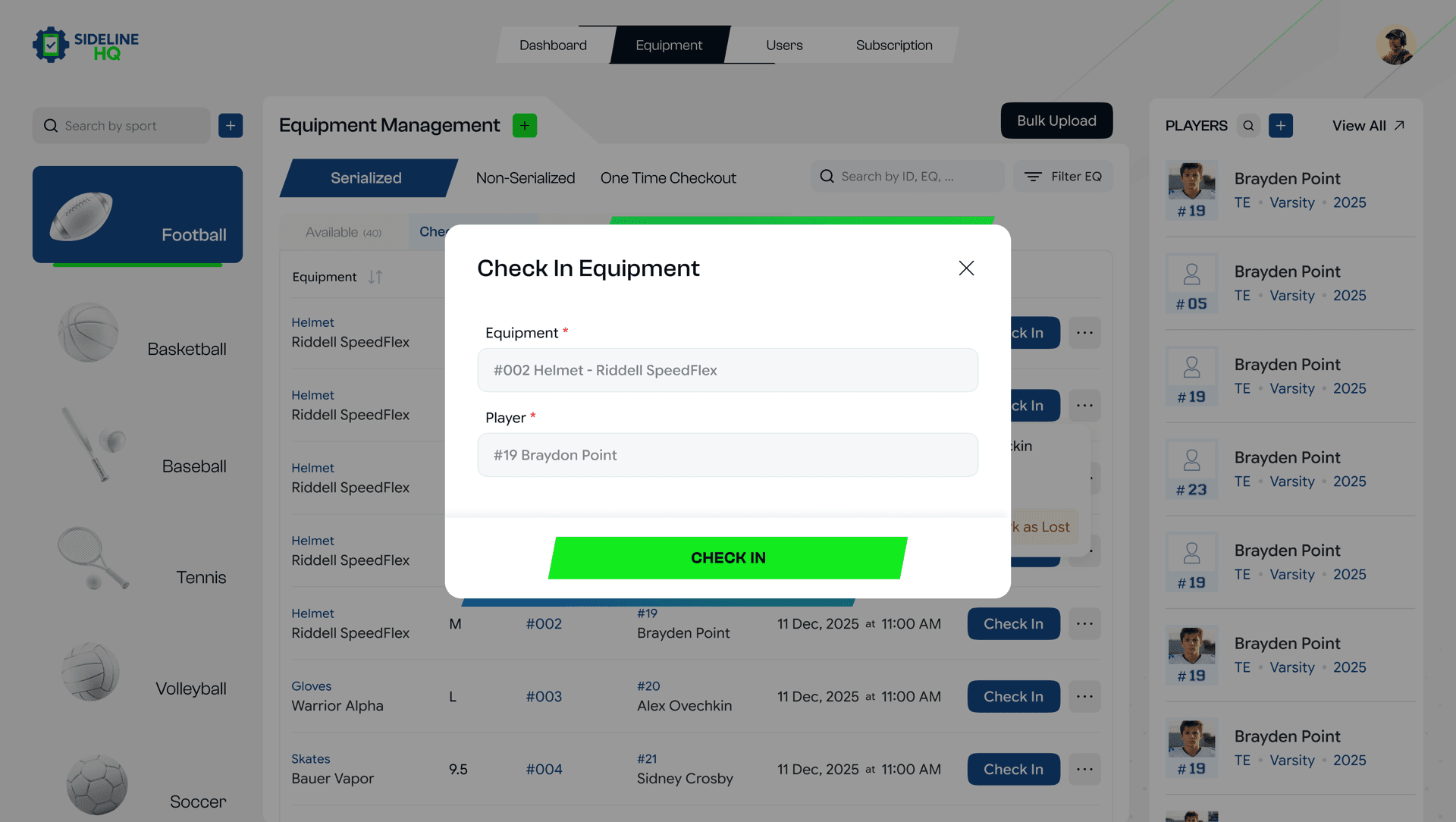
No more clipboards or spreadsheets. Check equipment in and out with a few taps — from your phone or the web. Every transaction is logged automatically with a full audit trail.
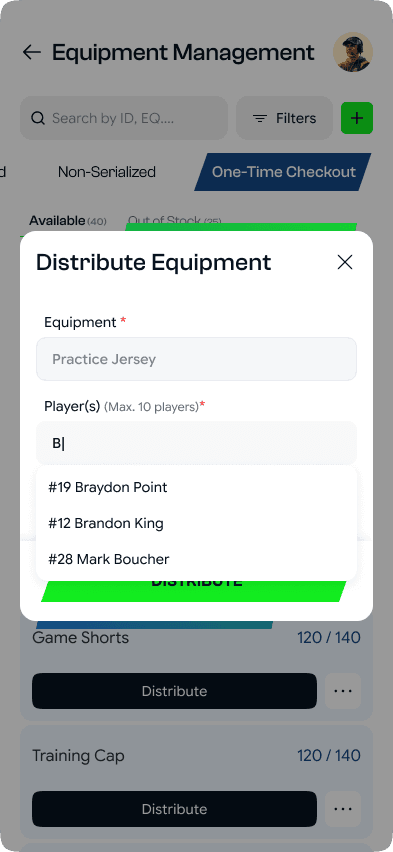
- One-tap check-out to any player on your roster
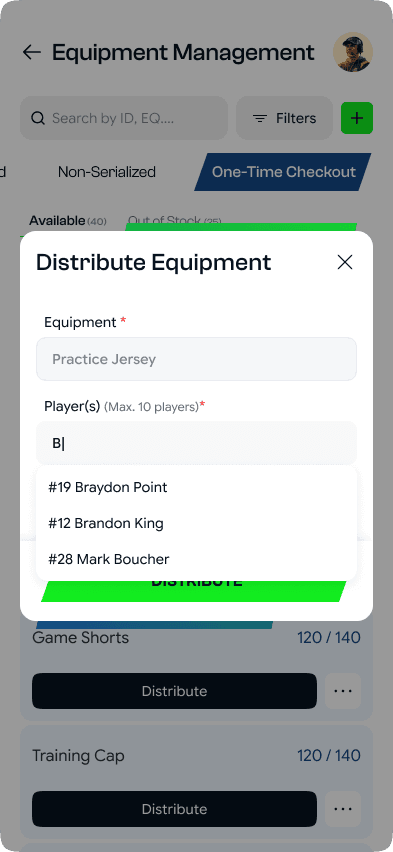
- Bulk distribution for outfitting entire teams at once
- Complete audit trail — who, what, when
- Instant check-in confirmation with status updates

Player Profiles
TIE GEAR TO PLAYERS.
Every player has a profile showing exactly what equipment they've been assigned. See current gear, history, and manage assignments across sports and seasons.
- Player-level equipment assignments and history
- Import rosters from a spreadsheet in minutes
- Multi-select players for bulk gear distribution
- Track assignments across sports and seasons
Mobile App
MANAGE FROM ANYWHERE.
Sideline HQ is built mobile-first. Equipment is the first tab in the iPhone and Android app, optimized for one-handed use on the go. Reports and bulk uploads stay on the web.
- iOS and Android app, with iPad and tablet layouts
- Check gear in and out from wherever
- Real-time sync across all your devices
- Designed for the equipment room, locker room, or the field
Reports & Audits
KNOW WHERE YOUR BUDGET WENT.
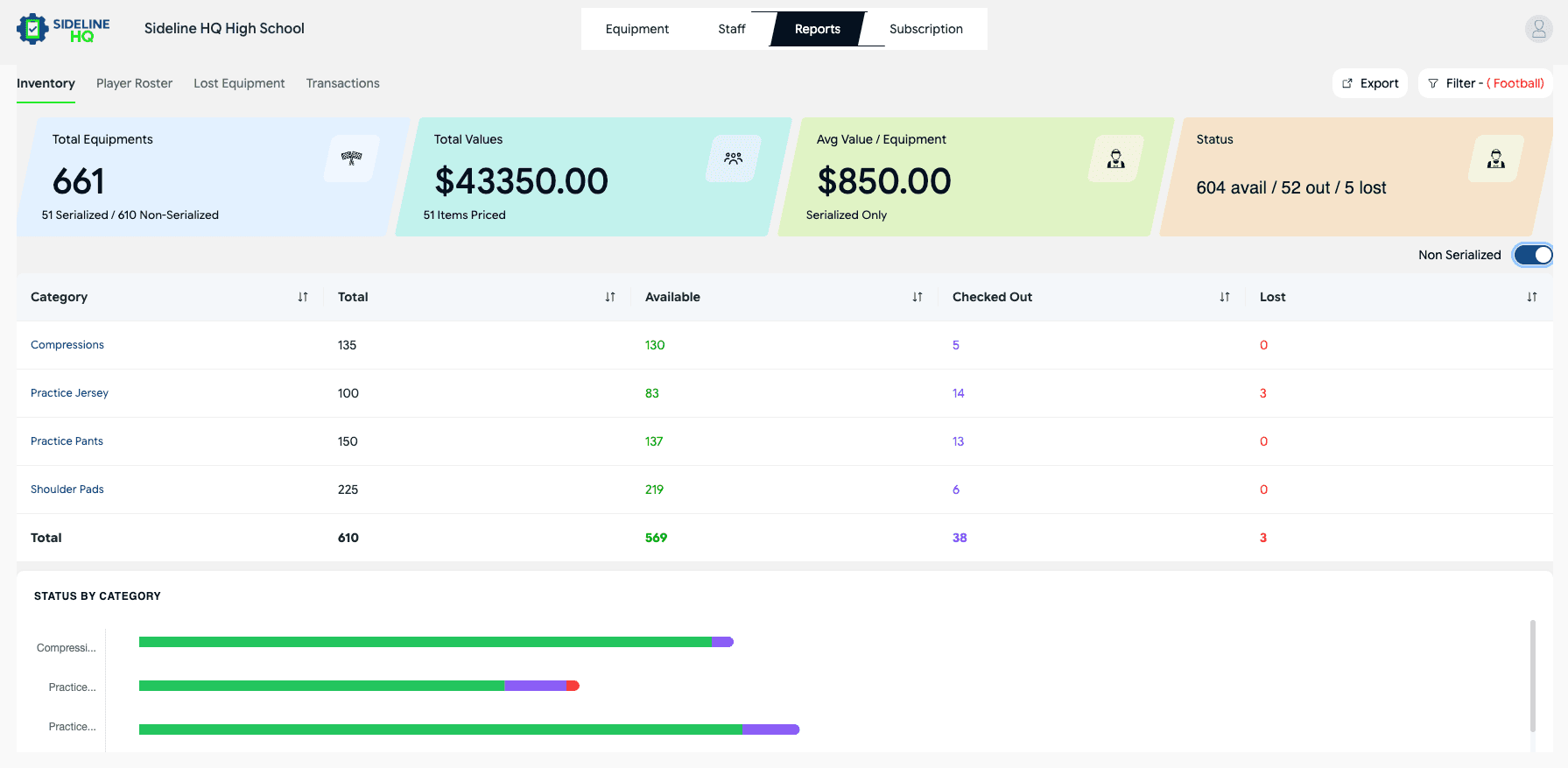
Run end-of-season audits, track losses, and see spending breakdowns. Sideline HQ gives you the data you need to justify your budget and hold players accountable.
- End-of-season equipment audits
- Loss tracking with cost attribution
- Export reports for administrators and booster clubs
- Season-over-season comparison for budget planning
- Lost value and depreciation in your reports
- Every sport's totals on one screen, export to CSV or print
Multi-Sport
ONE SCHOOL. EVERY SPORT.
Football, basketball, baseball, soccer, track — manage all your sports from one school account. Separate inventories per sport with shared visibility for athletic directors.
- One login covers your entire athletic program
- Separate inventories per sport for clean organization
- Athletic directors see the full picture across all sports
- Add unlimited sports across your program
Also from Sideline HQ
SIDELINE OPS
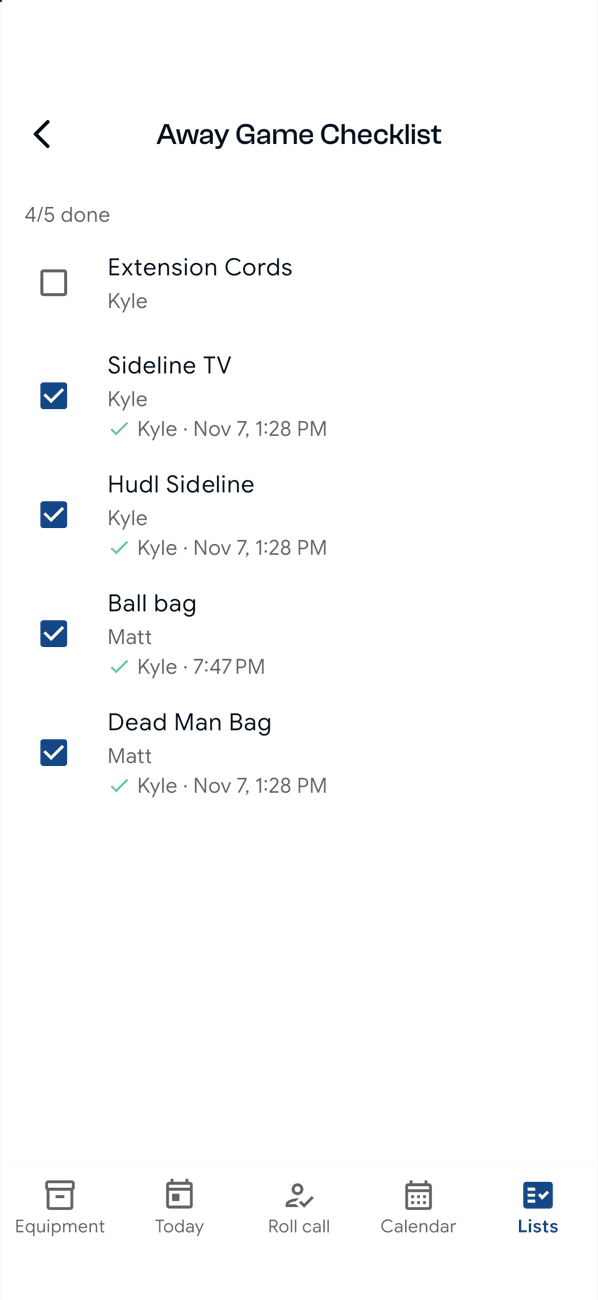
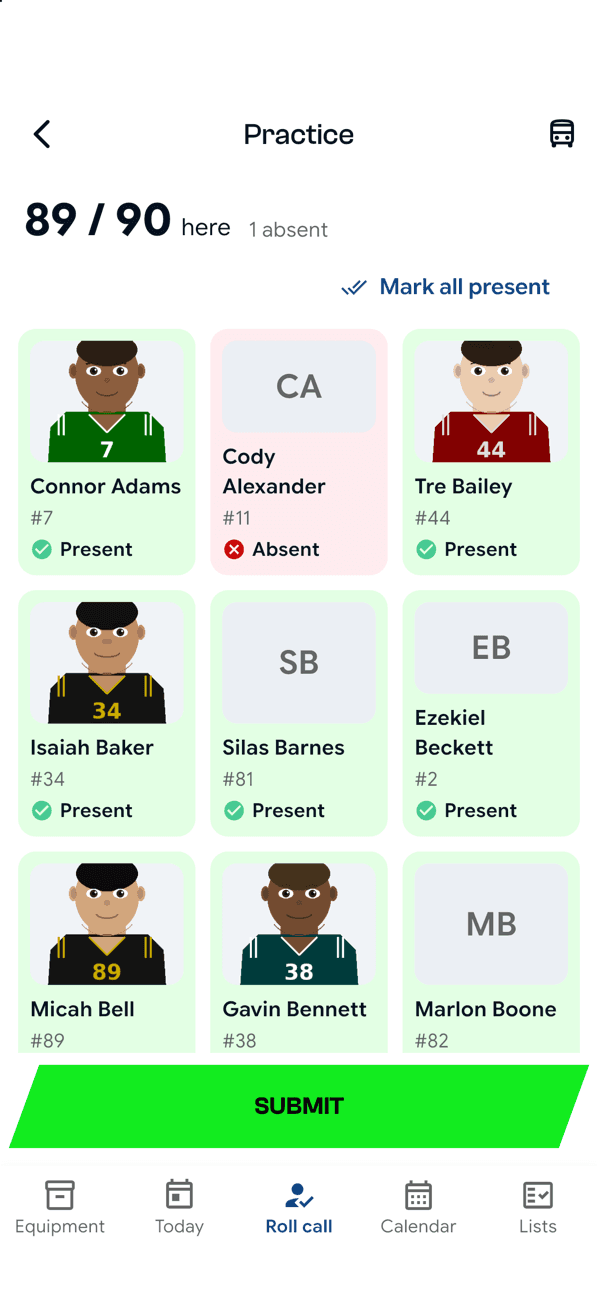
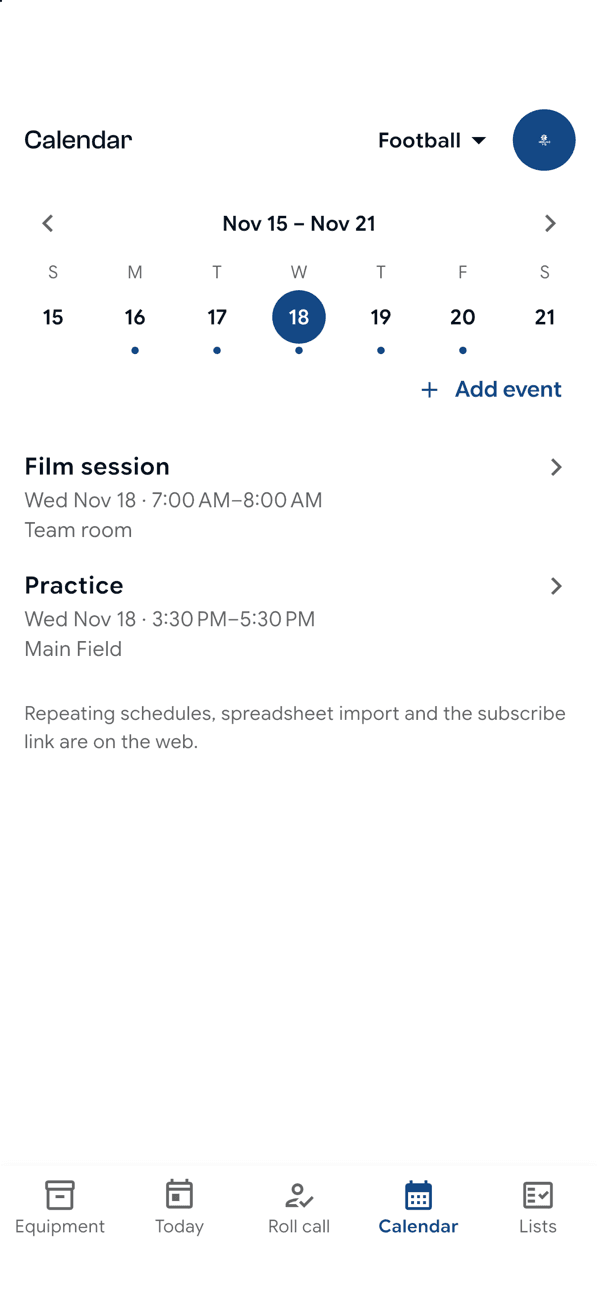
Run your team day to day. Plan on the web, run it from your phone.
More
AND THAT'S NOT ALL.
Unlimited Users
Your entire coaching staff, equipment managers, and ADs — no per-seat fees.
Quick Onboarding
Most programs are fully set up in under an hour. Import rosters, add gear, start managing.
Season Rollover
Archive past seasons, roll forward rosters, and start fresh without losing history.
Custom Player Columns
Add your own fields to player profiles — jersey size, locker number, GPA, whatever your program tracks. Build the roster view that fits how you run things.
Class Schedule
Keep each player's class schedule on file, so you know exactly when they're free — pull a kid for gear day or a meeting without the guesswork.
Helmet Reconditioning
Send helmets to your vendor in bulk, track them while they're out, and mark each one received or condemned when they come back. Every step is timestamped on the helmet's history. A Condemned report shows everything you've retired.
iPad & Tablet Layouts
The Sideline HQ app fits iPad and Android tablets, so it works the way you hold it in the equipment room.
Custom Sports
Need a sport that isn't on the list? We can add it, and it works everywhere the built-in sports do.
Men's & Women's for College
College and adult programs see Men's and Women's labels instead of Boys and Girls, throughout the app.
Class Schedule Upload
Upload class schedules for your whole roster from a spreadsheet instead of typing them in one player at a time.
Helmet Hat Sizes
Record each helmet's hat size alongside its size, so you can match the right helmet to the right head.
Condition Tracking
Record the condition of each item and see what needs replacing before you place next year's order.
Bulk Spreadsheet Import
Upload your equipment and roster from a spreadsheet, match your columns, and see what imported on the Uploads page.
Lost Value & Depreciation
Reports show what lost gear cost and what your inventory is worth today.
Secure & Private
Industry-standard encryption for all data in transit and at rest. Your data stays yours.
In-App Help & Tutorials
Built-in tutorial library so your staff can get up to speed fast — no training required.
Web + Mobile
Use Sideline HQ from your browser or the native iOS/Android app, always in sync. Reports and bulk uploads are on the web.
Need help getting started?
Watch step-by-step video tutorials for every feature.
YOUR PROGRAM DESERVES
BETTER TOOLS.
Start with a free 30-day trial. Join the coaches and athletic directors who run their programs on Sideline HQ.